

Habit apps can be safe, but most aren't built that way by default. The safest ones store your logs on your device, skip third-party trackers, and don't require an account. If an app is free, ad-supported, or syncs to the cloud, treat your data as exposed until the privacy policy proves otherwise. Before you log anything sensitive, check permissions and the policy first.
TL;DR:
- Most habit apps share user data through third-party trackers, account storage, and metadata, which can reveal sensitive routines even when encrypted.
- Privacy-focused apps store data locally without accounts, and are often paid or open-source, with clear policies on data deletion and minimal permissions.
- Before using a habit app, check store privacy labels, recent updates, permissions, and whether data can be exported and deleted effectively.
- On-device tracking, encrypted notes, and manual export methods avoid cloud exposure, but metadata like timestamps still pose privacy risks.
- Privacy-first methods such as stake-based commitment models provide accountability without the privacy risks associated with traditional habit apps.
Table of Contents
- Is Habit App Safety Actually a Real Concern?
- What Does a Genuinely Private Habit App Look Like?
- How Do You Check If a Habit App Is Safe to Use?
- Privacy-First Ways to Track Habits Without Handing Over Your Data
- Why Metadata Is the Real Privacy Risk, Not Just Content
- Your Pre-Download Privacy Checklist
- Why We Lean Toward Privacy-First Tracking
- A Different Way to Build Accountability Without the Data Trail
- Sources
Is Habit App Safety Actually a Real Concern?
Yes, and the numbers back it up. A TechRadar investigation found that a large majority of the most popular fitness apps sell out user privacy, sharing device IDs, location signals, and behavioral profiles with outside companies. Habit trackers run on the same playbook as fitness apps: free download, account required, data monetized quietly in the background.
Here's where the real exposure happens:
- Ad and analytics SDKs embedded in the app can export your device ID and usage patterns straight to ad networks and data brokers, often without a clear disclosure in plain language.
- Account-based storage ties every entry to your identity. Cloud sync then multiplies that data across multiple servers, each one a separate legal and security exposure point.
- Metadata like timestamps and logging frequency can reveal sensitive routines (therapy visits, medication schedules, recovery habits) even when the actual content is encrypted.
- Vague policy language such as "share with partners" or "improve our services" is often a euphemism for selling or licensing your behavioral data.
A peer-reviewed analysis of health app privacy found that many tracking apps share user data as a matter of routine business practice, and that privacy concerns are a major reason people abandon tracking altogether. If you've quit a habit app after a queasy feeling about what it might be doing with your logs, you weren't being paranoid.
What Does a Genuinely Private Habit App Look Like?
The strongest privacy guarantee is simple: your data never leaves your phone. On-device storage with no account requirement means there's no server to breach, no company to sell to, and no third party in the loop at all. The trade-off is real, though: no cross-device sync, no automatic backup if you lose your phone.
Beyond storage architecture, a few other signals separate trustworthy apps from data-hungry ones:
- Paid or one-time-purchase pricing instead of "free forever." A subscription model doesn't need your data to make money, which removes the biggest incentive to monetize it.
- Open-source code lets anyone technically inclined verify whether tracking libraries are actually present. Loop Habit Tracker's listing on PrivacyTools is a good example of what that transparency looks like in practice.
- Short, specific privacy policies that name any third parties, state a retention period, and explain how to delete your data. If a policy runs 4,000 words of legal boilerplate and never names a single company it shares data with, that's a red flag, not reassurance.
- Encryption at rest, local export options, and a visible "delete my data" button rather than a support ticket you have to file.
Pro Tip: Open your phone's app permission settings before you even open the habit app itself. If a journaling app wants your contacts or microphone, deny it and see if the app still works. Most of the time, it does.
How Do You Check If a Habit App Is Safe to Use?
Run this five-step check before you log a single entry, especially for anything personal.
- Check the app store privacy label and update history. A label that hasn't changed in two years, paired with an app that hasn't been updated recently, suggests nobody's maintaining security patches.
- Read the actual privacy policy, and search it for the words "third party," "advertising," "share," "delete," and "export." If none of those terms appear, that absence is itself informative.
- Review the permissions your phone's operating system is granting, not just what the app claims to need. Deny anything that doesn't map directly to a feature you use.
- Search for the developer's name plus "breach" or "audit." A history of security incidents or a public audit report tells you more than any marketing page will.
- If the app syncs to the cloud, test the export and deletion process before you commit months of data to it. If deleting your account doesn't actually delete your history, that's the app telling you what it really values.
App store privacy labels are self-reported, and Proton's analysis of privacy label inaccuracies found real discrepancies between what developers claim and what apps actually do. Treat the label as a starting point, never as proof.
Privacy-First Ways to Track Habits Without Handing Over Your Data
You don't need a specific app to track habits safely. A few patterns work regardless of which product you land on.
- On-device-only tracking removes the vendor from the equation entirely. No sync, no server, nothing to subpoena or breach.
- Paid, no-ads apps make sense if you genuinely need cloud sync across devices. Their revenue comes from you, not from selling your behavior data downstream.
- Encrypted notes or a local journaling app work well for habits you'd rather not put in any purpose-built tracker at all: mental health check-ins, recovery milestones, anything you'd be uncomfortable seeing in a data breach headline.
- An export-and-archive habit keeps your historical data under your own control. Export monthly, save it locally, and you're never fully dependent on one company's servers staying online or staying honest.
If you'd rather build consistency without logging detailed daily entries anywhere, pairing a single keystone habit with a 30-day trial gives you structure without the data trail.
Why Metadata Is the Real Privacy Risk, Not Just Content
Encrypting your habit entries doesn't protect you the way most people assume. The technical explanation of cloud metadata from Sysdig makes clear that timestamps, sequence data, and device identifiers required for sync often stay visible to the server even when the content itself is locked down. Your provider doesn't need to read "meditated 10 minutes" to know your patterns. Knowing you logged something at 6:15 AM every day for three weeks, then stopped abruptly, tells a story on its own.
Anonymized behavioral datasets are not as anonymous as they sound. Combine timestamp patterns with device metadata from a second source, and re-identification becomes a real technical possibility, not a hypothetical one, according to CortexOS's research on journal data anonymity.
A broader review of privacy risks in mobile health apps backs this up, pointing to on-device processing and zero-knowledge sync as the only technical approaches that meaningfully close this gap. Everything else is a policy promise, not a technical guarantee.
Your Pre-Download Privacy Checklist
Run through this before you commit to any habit tracker, and revisit it whenever the app pushes a major update.
- Does it require an account, and if so, what identity information does it demand?
- Does the privacy policy name specific third parties or advertising networks?
- When was the app last updated?
- Can you export your data and permanently delete it, not just deactivate your account?
- Does it request permissions (camera, microphone, contacts, location) that have nothing to do with logging a habit?
| Signal | Lower risk | Higher risk |
|---|---|---|
| Account | Optional or none | Required with email/phone |
| Storage | On-device | Cloud, no export option |
| Business model | Paid, one-time or subscription | Free with ads |
| Permissions | Only what's used | Camera, mic, contacts requested |
| Updates | Regular, recent | Stale, no changelog |
Medical News Today's guide to finding trustworthy health apps recommends checking developer credentials alongside these technical signals, since a legitimate company behind the app tends to correlate with better data practices overall.
Why We Lean Toward Privacy-First Tracking
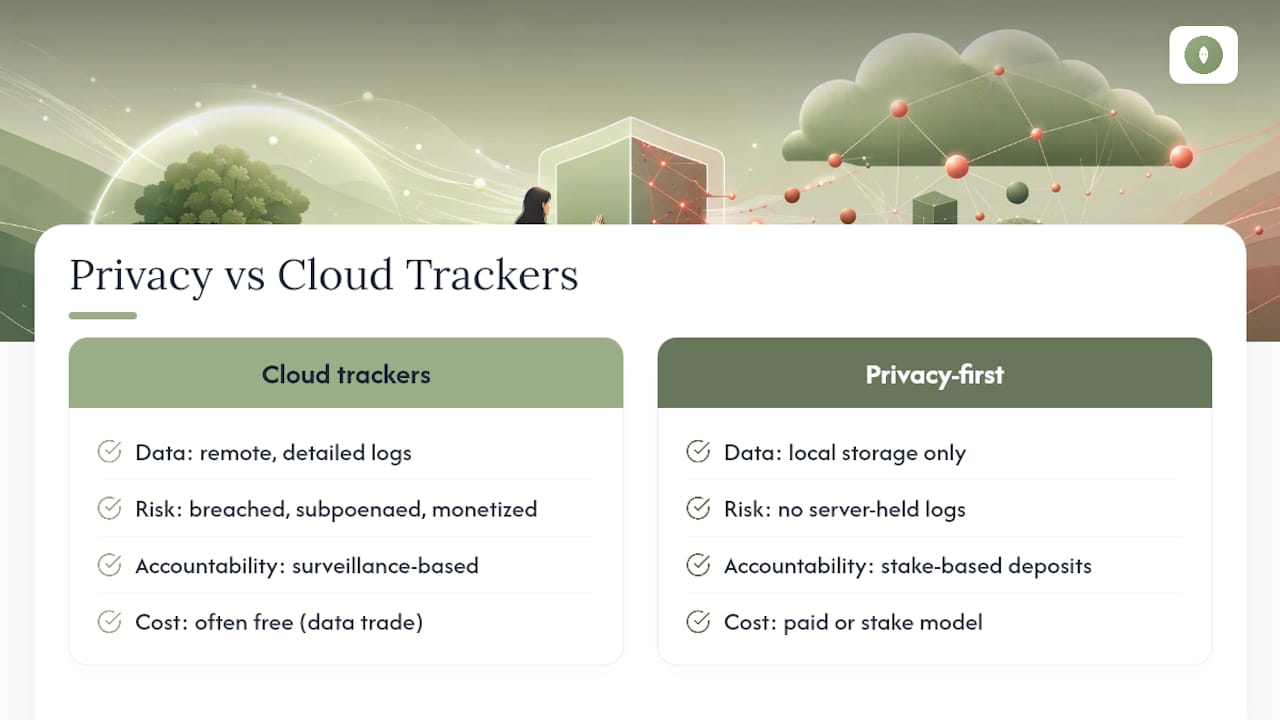
Most habit apps ask you to trust a stranger's server with the most personal record you keep: what you struggle with daily. That's a lot to hand over for a streak counter. Local storage and simple commitment methods sidestep the risk entirely because there's no detailed log sitting on someone else's infrastructure waiting to be breached, subpoenaed, or quietly monetized.
Paying for privacy, or using a stake-based commitment model instead of a cloud tracker, often beats the free-app trade-off once you actually weigh what you're giving up. Commitment deposits work through a different mechanism than tracking apps: accountability through financial stakes rather than surveillance through data collection. That distinction shapes how Flourishorforfeit approaches habit formation, and it's worth understanding before you default to another free tracker.
— Zack
A Different Way to Build Accountability Without the Data Trail
There's another option worth weighing if the whole cloud-tracker model makes you uneasy: skip the detailed daily log altogether and put your money behind the habit instead. This platform runs on a commitment-deposit model rather than a behavior-tracking one, so there's no persistent log of your daily patterns sitting on a vendor's server to worry about.
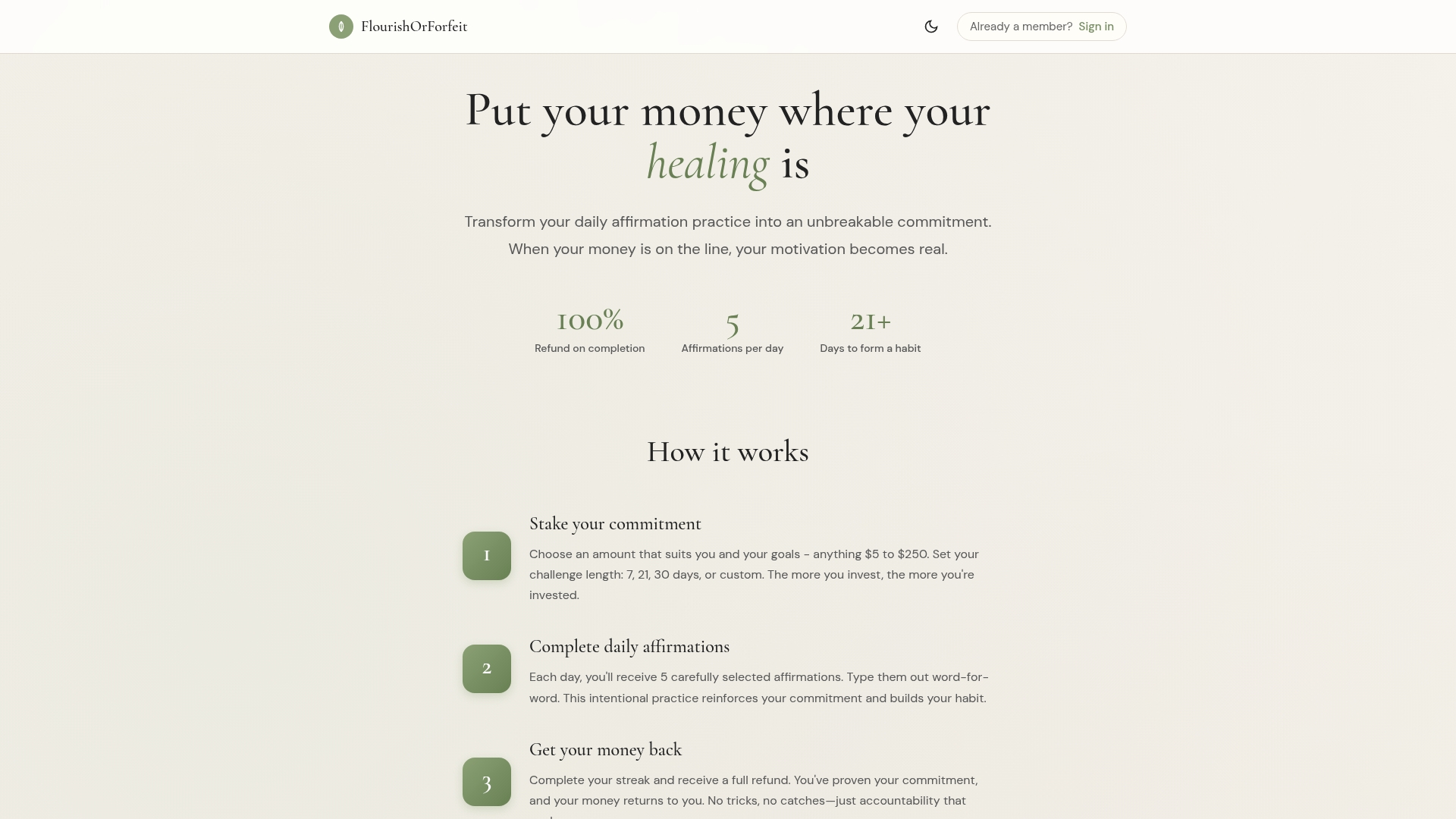
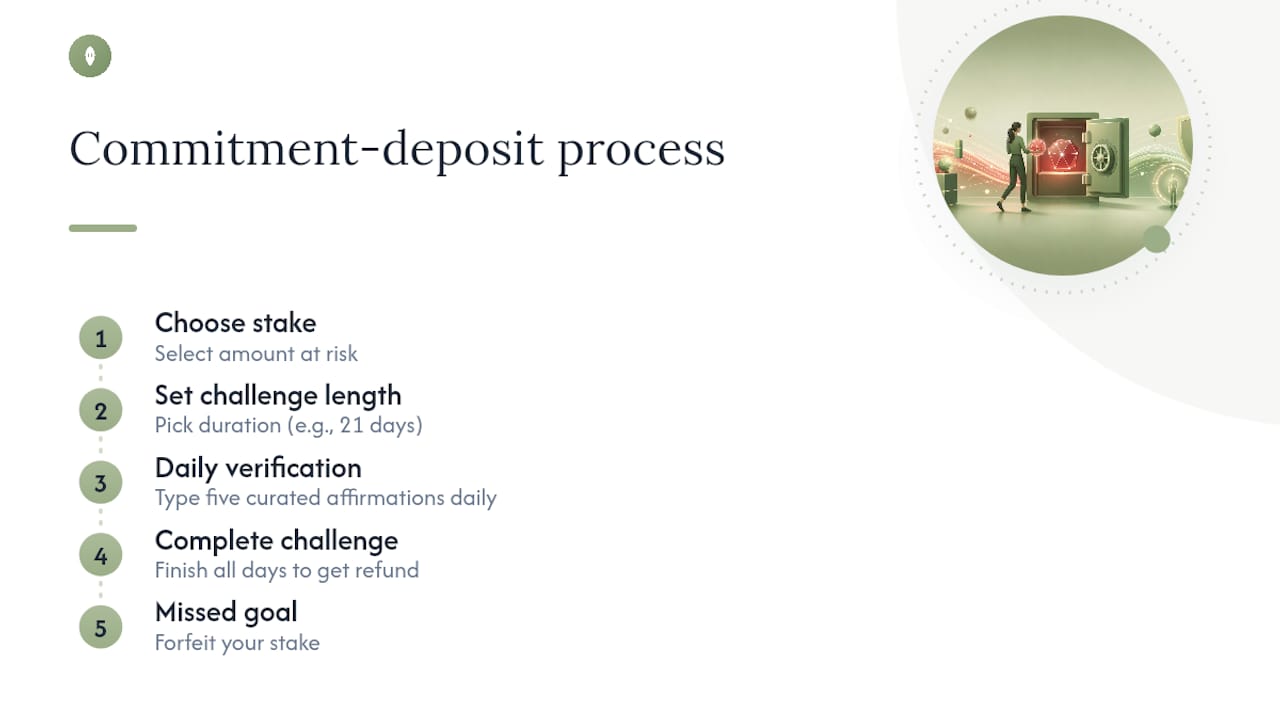
Here's the mechanism: you choose an amount to stake and a challenge length, then type five curated affirmations word-for-word each day to complete the challenge. Finish successfully and you get a full refund. Miss the mark and you forfeit your stake. There's no scrolling through months of behavioral history because the platform isn't building one. Payment and verification methods confirm your participation, without turning your daily routine into a dataset.
This fits best if you want real accountability, financial skin in the game, without a detailed tracked history accumulating on someone else's cloud infrastructure. If that trade-off sounds right for you, start a 21-day affirmation challenge and see what a stake does for follow-through that an app streak never quite managed.
Sources
For more on how tracking apps handle your data, see TechRadar's fitness app privacy investigation, Healthline's guide to trustworthy health apps, and the peer-reviewed review of mobile health app privacy risks.
- Beware — 80 percent of the most popular fitness apps are selling out your privacy (TechRadar)
- Peer-reviewed study on health app privacy and user behavior (PMC)
- What is cloud metadata? (Sysdig)